Phone Speaker Not Working: Repair Guide 2026
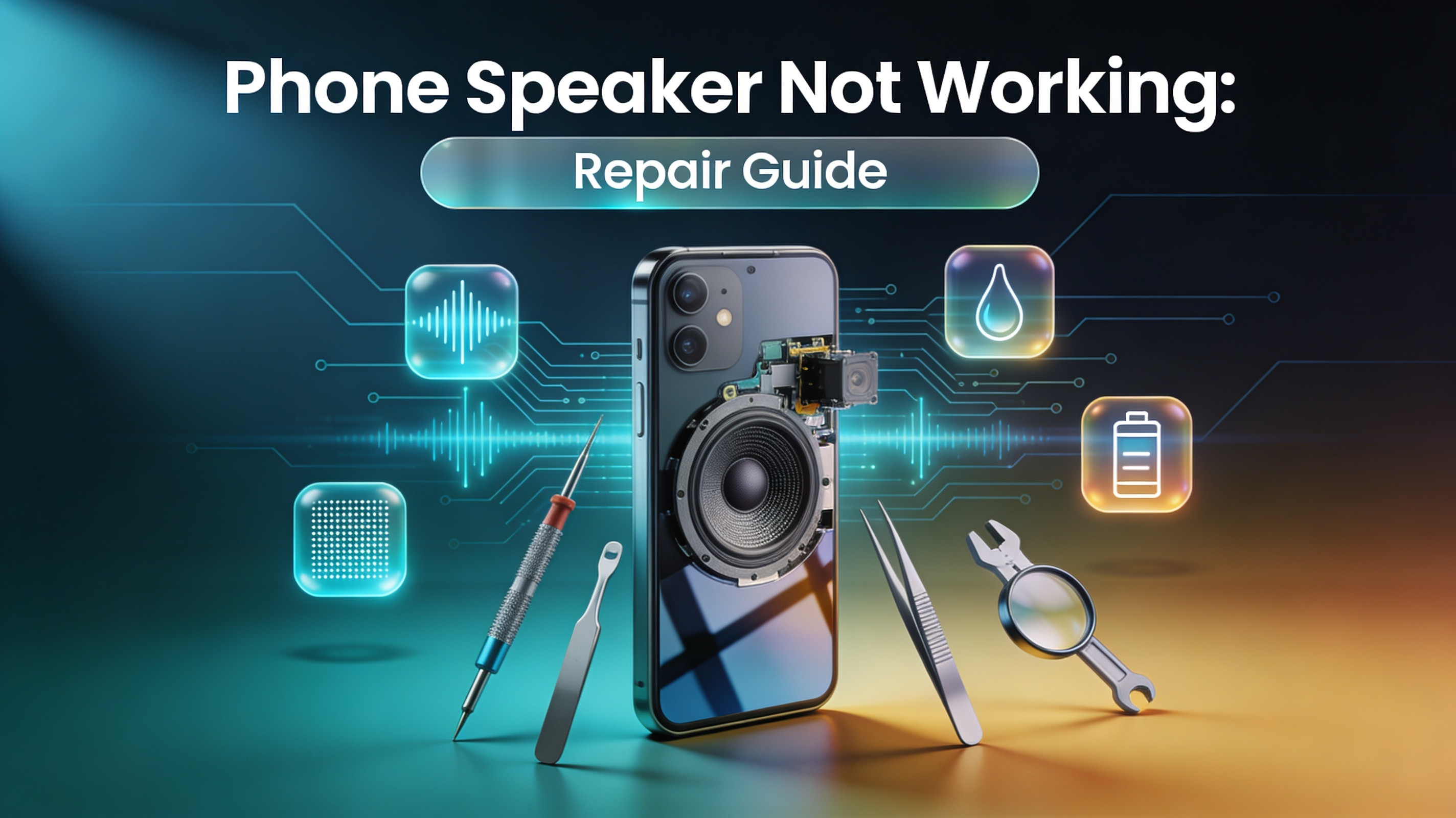
Phone Speaker Not Working: Repair Guide 2026
A phone speaker that suddenly stops working can bring your entire digital routine to a halt. Whether you rely on your device for calls, music, navigation, video calls, or podcast listening, losing audio output is one of the most disruptive hardware problems a smartphone user can experience. The frustrating part is that this issue can appear without any warning and can range from a minor software glitch to a serious hardware failure requiring professional attention.
Phone speaker problems are among the most commonly reported issues at mobile repair shops worldwide. Millions of users search for "phone speaker not working fix" every month, which reflects just how frequently this issue occurs across all device types, brands, and operating systems. Whether you own an iPhone, a Samsung Galaxy, a Google Pixel, or any other Android smartphone, no device is immune to audio failures.
This comprehensive repair guide covers everything a user needs to know about smartphone speaker troubleshooting. From identifying the root cause of the problem, to performing safe DIY fixes at home, to understanding when it is time to visit a phone repair shop for speaker service, every aspect of this issue is addressed in detail. The goal is to equip every reader with the knowledge to handle their speaker problem intelligently and efficiently.
How Phone Speakers Work
Before attempting any repair or troubleshooting, it is valuable to understand the basic mechanics behind your phone's audio system. Modern smartphones typically contain two distinct types of speakers: the earpiece speaker and the loudspeaker.
The earpiece speaker is the small speaker located at the top of the phone's front face. It is specifically designed for phone calls, producing sound at low volume levels close to the ear. The loudspeaker, also called the bottom-firing or external speaker, is the component used for music playback, speakerphone calls, video audio, and general media output. Many premium smartphones now include stereo speaker setups that use both the earpiece and the loudspeaker simultaneously for a wider, richer audio experience.
Inside each speaker is a miniaturized version of the classic cone speaker design. A thin membrane or diaphragm vibrates in response to electrical audio signals, which creates the sound waves your ears perceive as audio. These membranes are incredibly thin and delicate, making them susceptible to damage from physical impact, moisture exposure, debris accumulation, and general wear over time.
The speaker is connected to the phone's audio IC (integrated circuit) on the motherboard, which controls signal processing and amplification. When a speaker problem occurs, the fault can lie anywhere along this chain — from the speaker unit itself, to the connecting flex cable, to the audio IC on the board. This layered complexity is why smartphone audio repair requires methodical diagnosis rather than guesswork.
Common Causes of Phone Speaker Not Working
Understanding why a phone speaker stops working is the first and most essential step toward fixing it. The causes vary widely, and identifying the correct one prevents unnecessary repairs or wasted time on solutions that will not work.
Physical Damage and Impact
Dropping a phone is one of the most common causes of speaker failure. When a phone hits a hard surface, the internal speaker membrane can tear or dislodge, and the flex cable connecting the speaker to the motherboard can become disconnected or damaged. Even a drop that does not shatter the screen can silently damage the speaker components inside. Users often report phone audio issues troubleshooting scenarios where the speaker worked fine right after a drop but gradually degraded over the following days.
Water and Liquid Damage
Water damaged phone speaker repair is one of the most requested services at mobile repair shops. Liquid exposure is particularly destructive to speaker components because water corrodes the delicate metal parts inside the speaker and along the audio circuit pathways. Even phones marketed as water-resistant can suffer speaker damage if submerged beyond their rated depth or exposed to saltwater, which is far more corrosive than fresh water.
After water exposure, audio output often becomes muffled, crackly, or disappears entirely. This happens because the speaker membrane absorbs moisture and loses its ability to vibrate freely. Corrosion along the speaker's electrical contacts also disrupts the signal between the audio IC and the speaker unit.
Dust and Debris Accumulation
Over time, dust, lint, skin cells, and other microscopic debris collect inside the speaker grille and against the speaker mesh. This debris physically blocks sound waves from projecting outward, resulting in muffled sound or dramatically reduced volume. Users who carry their phones in pockets or bags are especially prone to this type of buildup.
This is one of the most overlooked causes of declining sound quality. Many users assume their speaker is broken and seek a replacement when a thorough cleaning would completely resolve the issue. Regular speaker mesh cleaning on phones is a simple maintenance habit that can preserve audio quality for years.
Software Glitches and System Errors
Not every speaker problem is a hardware issue. A phone speaker software fix is sometimes all that is needed. Operating system bugs, corrupted audio drivers, conflicting third-party applications, and incorrect audio routing settings can all cause the phone sound to stop working or behave unexpectedly.
This is particularly common after major system updates on both Android and iOS devices. An update might alter audio routing preferences, enable Do Not Disturb mode automatically, or create conflicts with existing audio settings. These software-based issues are often easier and faster to resolve than hardware faults.
Defective or Aging Speaker Components
Mobile phone speaker replacement becomes necessary when the speaker unit itself reaches the end of its functional lifespan. Like all mechanical components, speakers wear out over time. The adhesive holding the speaker in place can dry out, the membrane can develop micro-tears from years of heavy vibration, and the internal coil can weaken with age.
Devices that are frequently used at maximum volume for extended periods show accelerated speaker wear. This is especially noticeable in devices that are three or more years old, where the cumulative hours of audio output finally take a toll on the physical components.
Symptoms That Indicate a Speaker Problem
Recognizing the specific symptom your phone is displaying helps narrow down the cause and the appropriate fix. Not all speaker problems look or sound the same.
Phone speaker muffled sound is typically associated with physical blockages in the speaker grille or post-water damage swelling of the membrane. If sound is still audible but lacks clarity and seems like it is coming through a heavy cloth, debris or moisture is almost certainly involved.
Phone speaker crackling sound is often linked to physical damage to the speaker membrane, a loose connection between the speaker and the flex cable, or audio IC degradation. The crackling typically worsens at higher volumes because greater vibration amplifies the defect in the membrane or connection.
Phone speaker low volume, where audio plays correctly but at a significantly reduced level, can indicate either a partially blocked speaker grille, a damaged membrane with reduced vibrational range, or a software issue affecting the audio output level.
A phone earpiece speaker not working while the loudspeaker continues to function normally, or vice versa, strongly suggests a hardware fault specific to one of the two speaker units. This is important diagnostic information because it tells the technician exactly which component to investigate.
Complete audio silence — where no sound plays from any speaker regardless of volume settings — typically points to either a total speaker failure, a disconnected flex cable, or a fault in the audio IC on the motherboard.
Step-by-Step Smartphone Speaker Troubleshooting Guide
Before assuming the worst and spending money on a replacement, work through this systematic troubleshooting process. Many loudspeaker not working problems on phones are resolved within the first few steps.
Step 1: Check Volume and Silent Mode Settings
This step sounds obvious, but it solves the problem more frequently than most users expect. Check the physical volume buttons on the side of the device and press the volume up key several times while media is playing. On iPhones, check the silent/mute switch on the left side of the device. On Android devices, open the sound settings and verify that media volume, ringtone volume, and notification volume are all set to appropriate levels.
Also verify that Do Not Disturb mode is not active, as this can silence all audio output without the user's awareness. Check whether Bluetooth is connected to an external device, which would reroute audio away from the phone's internal speaker.
Step 2: Restart the Device
A simple restart resolves many temporary software-based audio faults. When a phone restarts, it clears RAM, resets audio routing preferences, and terminates background processes that might be interfering with speaker output. For persistent phone speaker software fix scenarios, a restart is the fastest first action.
Step 3: Test the Speaker with a Phone Speaker Diagnostic Test
Android users can access a built-in phone speaker diagnostic test by dialing specific codes depending on the manufacturer. For Samsung devices, dialing #0# opens a hardware test menu where the speaker can be tested in isolation. Apple users can run a speaker test through the Accessibility Audio/Visual settings, or by visiting an Apple Store for a formal hardware diagnostic.
Third-party apps such as Speaker Test and Phone Diagnostics are also available on both Google Play and the App Store. These tools play test tones at specific frequencies, which helps identify whether the speaker is partially damaged (responding to some frequencies but not others) or completely non-functional.
Step 4: Clean the Speaker Grille
Learning how to clean phone speaker dust properly can restore full volume and clarity in many cases. Here is a safe and effective process:
Use a dry, soft-bristled toothbrush and gently brush across the speaker grille in short horizontal strokes. This loosens debris without pushing it deeper into the mesh. Compressed air can then be used in short, controlled bursts from a distance of at least 4–5 centimeters to blow the loosened debris out of the grille.
Avoid using pointed objects like toothpicks or needles, as these can puncture the delicate speaker mesh or damage the membrane underneath. Do not use cotton swabs either, as the fibers can become lodged inside the grille and worsen the blockage. A soft lint-free cloth can be used to wipe the exterior of the grille afterward.
For users who want a deeper clean, adhesive putty or cleaning gel pressed gently against the speaker grille can pull out debris that brushing alone cannot dislodge. This is a safe and effective technique widely recommended by mobile repair technician tips resources.
Step 5: Check for Software Updates
Outdated system software can cause audio bugs that mimic hardware failure. Check for pending system updates in the device settings and install any available updates. After updating, test the speaker again before proceeding further.
Step 6: Test in Safe Mode (Android)
Booting an Android phone into safe mode temporarily disables all third-party applications. If the speaker works normally in safe mode, a third-party application is the cause of the audio interference. The solution is to identify and uninstall the problematic app. Common culprits include equalizer apps, call recording software, and custom ringtone managers.
Step 7: Factory Reset as a Last Software Resort
If all software-based troubleshooting has failed to resolve the issue, a factory reset eliminates the possibility of a software cause before moving to hardware-level investigation. Always back up all data before performing a factory reset. If the speaker remains non-functional after a reset, the problem is definitively hardware-related and requires professional phone repair shop speaker service.
How to Fix Phone Speaker After Water Exposure
Water damage is one of the most urgent speaker problems to address. The longer moisture remains inside the device, the more extensive the corrosion damage becomes. Acting quickly significantly improves the chances of a successful repair.
Immediately after liquid exposure, power off the device. Do not attempt to charge it, test it, or use it while wet, as this can cause short circuits that create far more damage than the water itself. Shake the device gently to expel any water from the ports and speaker openings.
Place the device in a well-ventilated area or in front of a fan. The outdated advice of placing phones in rice is largely ineffective, as rice draws moisture very slowly and does not reach the interior components efficiently. Silica gel packets are significantly more effective at absorbing moisture from the surrounding air.
After 24–48 hours of drying in a warm, ventilated environment, power the device on and test the speaker. Many users successfully fix phone speaker after water exposure through this method when the exposure was brief and the response was immediate.
However, if muffled or crackling audio persists after thorough drying, corrosion has likely already begun on the speaker components or the audio circuit pathways. At this stage, water damaged phone speaker repair requires professional intervention. Corrosion must be cleaned using isopropyl alcohol and specialized tools under magnification — a process that cannot be safely performed outside a proper repair environment.
DIY Repair vs Professional Phone Speaker Repair Service
Understanding when to attempt a DIY fix and when to seek a professional phone repair service is critical for protecting both your device and your investment.
| Repair Scenario | DIY Approach | Professional Service |
|---|---|---|
| Muffled sound from debris | Safe — clean grille at home | Not required in most cases |
| Software-related audio issues | Safe — software settings, reset | Not required unless fault persists |
| Water exposure (mild, recent) | Partial — dry device immediately | Recommended for persistent issues |
| Water exposure (severe/delayed) | Not recommended | Required — corrosion cleaning needed |
| Speaker crackling from damage | Not recommended | Required — component inspection needed |
| Complete audio silence | Not recommended | Required — board-level diagnosis needed |
| Speaker membrane tear | Not recommended | Required — component replacement needed |
| Earpiece speaker not working | Partial — clean, check settings | Required if hardware fault confirmed |
| Loudspeaker unit replacement | Advanced DIY (with tools/guide) | Strongly recommended for most users |
The table above illustrates that while some phone speaker problems are genuinely manageable at home, many require the skills, tools, and diagnostic equipment that only a trained mobile repair technician can provide. Attempting a physical speaker replacement without proper training risks damaging the motherboard, breaking fragile flex cables, and voiding any remaining warranty.
Mobile Phone Speaker Replacement: What the Process Involves
For users curious about what happens during a professional mobile phone speaker replacement, understanding the process helps set realistic expectations and builds confidence in the repair service.
The first step is a complete phone speaker diagnostic test to confirm that replacement is indeed necessary. This involves testing the speaker electrically, checking signal output from the audio IC, and ruling out flex cable or software issues. Technicians avoid replacing components that do not need replacing, as unnecessary part swaps add cost and risk to the repair.
Once replacement is confirmed, the device is carefully opened using the appropriate tools. Different devices require different opening techniques — many modern smartphones use adhesive rather than screws to seal the rear panel, requiring a heat gun or heating mat to soften the adhesive before the device can be safely opened without cracking the glass.
The internal components are then methodically removed to access the speaker. Flex cables are disconnected with precision instruments, and the speaker unit is gently removed. The new speaker is positioned in place, flex cables are reconnected, and the device is carefully reassembled. The speaker is then tested both before and after reassembly to confirm successful repair.
The quality of the replacement part significantly affects the durability of the repair. OEM (original equipment manufacturer) parts or high-quality aftermarket components designed to match OEM specifications provide the best long-term results. Low-grade generic replacement speakers often have poor sound quality, shorter lifespans, and incompatibility issues.
iPhone Speaker Not Working: Specific Considerations
iPhone speaker not working is a distinct repair category because Apple devices have specific design features, proprietary components, and software behaviors that differ from Android phones.
iPhones use a Taptic Engine and a speaker system that are tightly integrated with iOS. Apple's audio routing is controlled at a deep software level, which means that in some cases, an iPhone may appear to have a broken speaker when the issue is actually an iOS audio routing bug or a stuck headphone mode. This occurs when the phone believes headphones are plugged in and routes audio accordingly, producing silence from the internal speaker.
This stuck headphone mode issue can sometimes be resolved by inserting and removing a pair of wired headphones several times, cleaning the headphone jack (on older models), or using the iPhone's audio output settings to manually redirect audio to the internal speaker.
For genuine hardware issues, iPhone repair services require specific expertise because Apple uses proprietary screws, adhesive bonding, and serialized components that pair electronically to the device's logic board. Unauthorized speaker replacements on newer iPhone models may trigger hardware mismatch warnings in iOS, alerting the user that the component is not genuine. Apple-authorized repair providers and skilled independent shops experienced in iPhone hardware can perform these replacements correctly.
Samsung Speaker Problems: What Android Users Face
Android phone speaker not working is most frequently reported among Samsung Galaxy users due to the sheer volume of Samsung devices in circulation globally. Samsung repair specialists encounter a wide variety of audio-related issues across the Galaxy S, A, and Z series lineups.
Samsung devices running One UI occasionally experience audio bugs following system updates that mute specific audio channels or alter sound routing. The brand's Dolby Atmos integration, while excellent for audio quality, can sometimes create conflicts with third-party audio applications that produce unexpected silence or distortion.
Physically, Samsung Galaxy phones are known for their large, high-quality speakers, but the bottom-firing speaker placement makes them vulnerable to debris accumulation from pocket lint and bag contents. Samsung's water-resistant ratings also give some users a false sense of security, leading to more aggressive water exposure than the device is designed to handle over time.
Phone Speaker Repair Cost: What to Expect
Phone speaker repair cost varies based on the device model, the type of speaker affected, and the quality of replacement parts used.
| Device Type | Repair Type | Estimated Cost Range |
|---|---|---|
| iPhone 13 / 14 / 15 | Loudspeaker replacement | $60 – $120 |
| iPhone (earpiece speaker) | Earpiece replacement | $40 – $90 |
| Samsung Galaxy S Series | Loudspeaker replacement | $50 – $110 |
| Samsung Galaxy A Series | Loudspeaker replacement | $35 – $75 |
| Google Pixel | Speaker replacement | $45 – $95 |
| Budget Android Phones | Speaker replacement | $20 – $55 |
| Speaker cleaning service | Debris removal, no parts | $15 – $35 |
| Water damage speaker repair | Cleaning + potential parts | $60 – $150+ |
These figures represent average market rates and can vary by location and service provider. It is always advisable to request a quote before committing to a repair. Reputable phone repair shops provide transparent, upfront pricing with no hidden fees.
Preventive Maintenance: Phone Speaker Maintenance Tips
Prevention is always preferable to repair. Following a few consistent habits can dramatically extend the functional life of a phone's speaker system.
Avoid exposing the phone to sand and dust environments without protective cases. Sand particles are particularly damaging because their irregular shapes can scratch the speaker membrane when they enter through the grille. Investing in a high-quality case with port and speaker protection significantly reduces debris ingress.
Do not play audio at maximum volume for extended periods. Sustained maximum volume accelerates membrane wear and reduces the speaker's functional lifespan. Listening at 70–80 percent of maximum volume still provides excellent audio output while dramatically reducing physical stress on the speaker components.
Clean the speaker grille regularly using the brushing technique described earlier in this guide. A monthly light cleaning prevents debris buildup from reaching problematic levels. This simple speaker mesh cleaning phone habit costs nothing and takes less than two minutes.
Avoid placing the phone face-down in environments where the speaker grille is pressed against fabric, carpet, or textured surfaces. This forces debris directly into the grille with each vibration from incoming calls or notifications. Placing phones face-up whenever possible is a small habit with meaningful long-term benefits.
When to Visit a Professional Phone Repair Shop
Certain situations make professional phone repair services the clear and necessary choice. Attempting to handle these scenarios at home without proper training and tools often results in additional damage that increases the overall repair cost significantly.
If the speaker emits a burning or electrical smell, power off the device immediately and take it to a repair shop. This symptom indicates a short circuit or electrical fault that can escalate to a safety hazard if the device continues to operate.
If the speaker problem appeared immediately after a drop that also cracked the screen, both issues should be addressed together at a repair shop. Screen repair often involves opening the device, which provides an opportunity to inspect and address internal speaker damage at the same time.
If the device has experienced water submersion and the speaker remains impaired after drying, professional corrosion treatment is essential. Corrosion spreads over time even after the water has evaporated, so delays in professional treatment result in progressively worse damage. Searching for "phone speaker repair near me" and visiting a reputable local shop quickly is strongly advisable.
Comparing Phone Speaker Repair Options
| Repair Option | Cost | Time Required | Skill Level | Risk Level | Best For |
|---|---|---|---|---|---|
| DIY cleaning at home | Free | 5–10 minutes | Beginner | Very low | Debris/muffled sound |
| Software reset / update | Free | 15–30 minutes | Beginner | Very low | Software-related silence |
| Safe mode testing | Free | 5 minutes | Beginner | None | App conflict diagnosis |
| Third-party repair shop | Moderate | 30 min – 2 hrs | None required | Low (reputable shop) | Most hardware issues |
| Manufacturer service center | Moderate – High | 1–5 days | None required | Very low | Warranty repairs |
| DIY speaker replacement | Low – Moderate | 30–90 minutes | Advanced | High | Experienced DIY users only |
This comparison table makes it clear that for most hardware-level speaker problems, a professional phone repair shop offers the best balance of cost, speed, and safety. The risk associated with DIY speaker replacement is particularly high for inexperienced users, where the potential for additional damage far outweighs the modest savings on labor costs.
The Role of Audio IC and Motherboard in Speaker Issues
Beyond the speaker unit itself, the audio integrated circuit on the phone's motherboard plays a critical role in sound output. When the audio IC malfunctions, no speaker will produce sound regardless of how many individual speaker units are replaced.
Audio IC failure is typically caused by physical impact (particularly drops onto hard surfaces), water damage that reaches the motherboard, or manufacturing defects. Diagnosing an audio IC fault requires professional phone hardware troubleshooting tools, including multimeters, oscilloscopes, and specialist diagnostic software.
Repairing or replacing the audio IC is a board-level repair that requires micro-soldering skills and professional-grade equipment. This is well beyond the scope of any DIY approach and represents one of the most technically demanding phone audio hardware repair procedures. Not all repair shops offer board-level repair, so it is worth confirming this capability before booking a service appointment.
How Phone Speaker Performance Impacts Overall Device Experience
Smartphone speaker performance issues affect far more than just music listening. Modern smartphones serve as communication hubs, entertainment devices, navigation assistants, and productivity tools. A functioning speaker is essential for all of these roles.
Video calls for work or personal use become impossible without a functional earpiece or loudspeaker. Navigation directions become inaudible while driving. Podcasts, audiobooks, language learning apps, and educational videos all depend on reliable audio output. Even simple phone calls return to the inconvenience of requiring headphones at all times when the earpiece speaker fails.
Understanding the full impact of speaker failure reinforces why timely repair matters. Delaying a repair does not resolve the underlying issue — in most hardware cases, it allows the problem to worsen and potentially become more expensive to fix.
Choosing the Right Repair Service Provider
Not all phone repair shops offer the same quality of service, and selecting the wrong provider can result in poor-quality parts, improper reassembly, or incomplete repairs. When searching for smartphone audio repair services, consider the following criteria.
Look for shops that offer a warranty on both parts and labor. A reputable repair provider stands behind their work with a minimum 90-day warranty, and many offer coverage for up to one year. This warranty ensures that if the repair does not hold or the replacement part fails prematurely, the service will be performed again at no additional cost.
Ask about parts quality before committing to a repair. Confirm whether the shop uses OEM parts, OEM-grade aftermarket components, or generic replacements. For optimal phone sound quality improvement post-repair, OEM or high-grade aftermarket parts are the appropriate choice.
Read reviews and seek shops with verifiable track records. Online reviews on Google, Yelp, or local platforms provide genuine insight into customer satisfaction, repair quality, and service turnaround times. A consistently high rating across many reviews is a reliable indicator of service quality.
Call to Action: Get Your Phone Speaker Fixed by Experts Today
If your phone speaker is not working and the troubleshooting steps in this guide have not fully resolved the issue, it is time to let experienced professionals take over. Attempting to delay a speaker repair or continuing to use a damaged speaker can worsen the underlying fault and increase the eventual repair cost.
At DC Phone Repair, a team of skilled and certified mobile repair technicians handles all types of phone speaker problems — from simple debris cleaning and software fixes to full speaker replacements and water damage restoration. Every repair is performed with high-quality parts, precision tools, and the commitment to restore your device to optimal performance.
Same-day service is available for most speaker repairs, meaning you will not be without your device for long. All repairs come with a warranty on parts and labor, giving you peace of mind that your investment is protected. Walk-ins are welcome, and online booking is available for your convenience.
Whether your iPhone is silent after a drop, your Samsung Galaxy sounds muffled and distorted, or your Android phone stopped producing any audio at all, DC Phone Repair has the expertise and resources to diagnose and resolve the issue quickly, reliably, and affordably.
DC Phone Repair
2704 Marion Barry Ave SE,
Washington DC 20020, United States
(202) 478-4799
https://dcphonerepair.com/
Frequently Asked Questions
Can a phone speaker be fixed without replacing it?
Yes, in many cases a phone speaker can be restored to full function without replacement. Cleaning debris from the speaker grille, resolving software conflicts, and drying water-exposed components can all fix phone speaker issues without the need for a new part. Replacement is only necessary when the speaker unit itself is physically damaged or electrically non-functional.
How do I know if my phone speaker problem is software or hardware?
The most reliable way to distinguish between software and hardware causes is to perform a factory reset after exhausting all software troubleshooting steps. If the speaker works normally after the reset, the cause was software-related. If audio remains absent or impaired, the fault is hardware-based and requires a professional phone speaker diagnostic test and physical inspection by a qualified technician.
Is water damaged phone speaker repair worth the cost?
In most cases, yes. Water damage treated quickly and professionally can restore speaker function completely without requiring a full device replacement. The cost of speaker repair is almost always significantly lower than replacing the entire phone. Early treatment is critical — the longer corrosion is left untreated, the more components it affects, which increases overall repair costs.
How long does a professional phone speaker replacement take?
Most professional phone speaker repair services are completed within 30 minutes to two hours, depending on the device model and the complexity of the repair. Shops that specialize in smartphone audio repair and carry common replacement parts in stock can often complete the work during a single same-day appointment.
Why does my phone speaker sound muffled after getting wet?
When water enters the speaker, it saturates the thin diaphragm membrane that produces sound vibrations. A wet membrane cannot vibrate efficiently, which results in reduced volume and a muffled, distorted quality. If the muffled sound does not clear up within 24–48 hours of thorough drying, corrosion or residual moisture inside the speaker components is the likely cause and professional repair is recommended.
How much does phone speaker repair typically cost at a repair shop?
Phone speaker repair cost varies based on the device and the type of repair required. A basic cleaning service typically costs between $15 and $35. Speaker unit replacement for common devices such as iPhones and Samsung Galaxy phones generally ranges from $40 to $120, depending on the model and part quality. It is always advisable to request a specific quote from the repair shop before proceeding.
Frequently Asked Question
Welcome to our FAQ section! Here, we've compiled a list of commonly asked questions to provide you with quick answers and assistance. If you don't find the answer you're looking for, feel free to contact us directly, and we'll be happy to help.
How long does your repair service take?
At DC Phone Repair, we are able to fix most phones within 10-15min. Walk-in Welcome, We carry all parts including phone screens, charger port, iPhone batteries, android batteries, ear speakers, black glass, loud speakers, Samsung pens and many more. We can fix your cracked screen or broken phone screen within minutes.
Can DC phone repair fix water damaged phones?
We can fix any phones, if you dropped your phone in the water no worries, DC phone repair can repair you phone. our experiences techs can run diagnostics on your device and tell you exactly what is the issue and fix it quick. Our diagnostic is completely FREE!
DO I NEED AN APPOINTMENT OR CAN I WALK-IN?
We welcome all customers including Walk-ins and appointments. Most repair times are less than 10-15mins so you don't have to leave your device with us most of the time. We Love our customers at DC Phone Repair and we strive to serve our customers in the best we can.
WHAT KIND OF PHONE REPAIR SCREEN OPTIONS DO YOU PROVIDE?
At DC Phone Repair, We carry all different types of screens, including OLED replacement Screens, LCD screens, OEM apple screens, OEM Samsung screens, call us today so we can fix your phone right!
-
00
+Glorious Years
-
00
k+Happy Customer
-
00
k+Service Complete
-
00
%Satisfactions